
Build a player team
Within the credit limits and the role limits of the contest, choose real players. Track how they perform in the match, including a captain and a vice-captain where the format uses those roles.
Read the Fantasy team walkthrough →Hero11 Fantasy is the section inside Hero11 with Cricket and Football formats. Use this guide to distinguish team points, match records and reward labels, and find the account help that matches your screen.
Hero11 buttons open an external access page. Already installed? Open the app on your phone.
Within the credit limits and the role limits of the contest, choose real players. Track how they perform in the match, including a captain and a vice-captain where the format uses those roles.
Read the Fantasy team walkthrough →Read the question, displayed choices and lock time. A prediction has its own result conditions; the T20 player-scoring table does not describe a Yes/No answer.
Compare Fantasy and Sports formats →Begin by deciding if you are picking players or answering a prediction. The rules you will need, and the record to seek later, both depend on that choice.
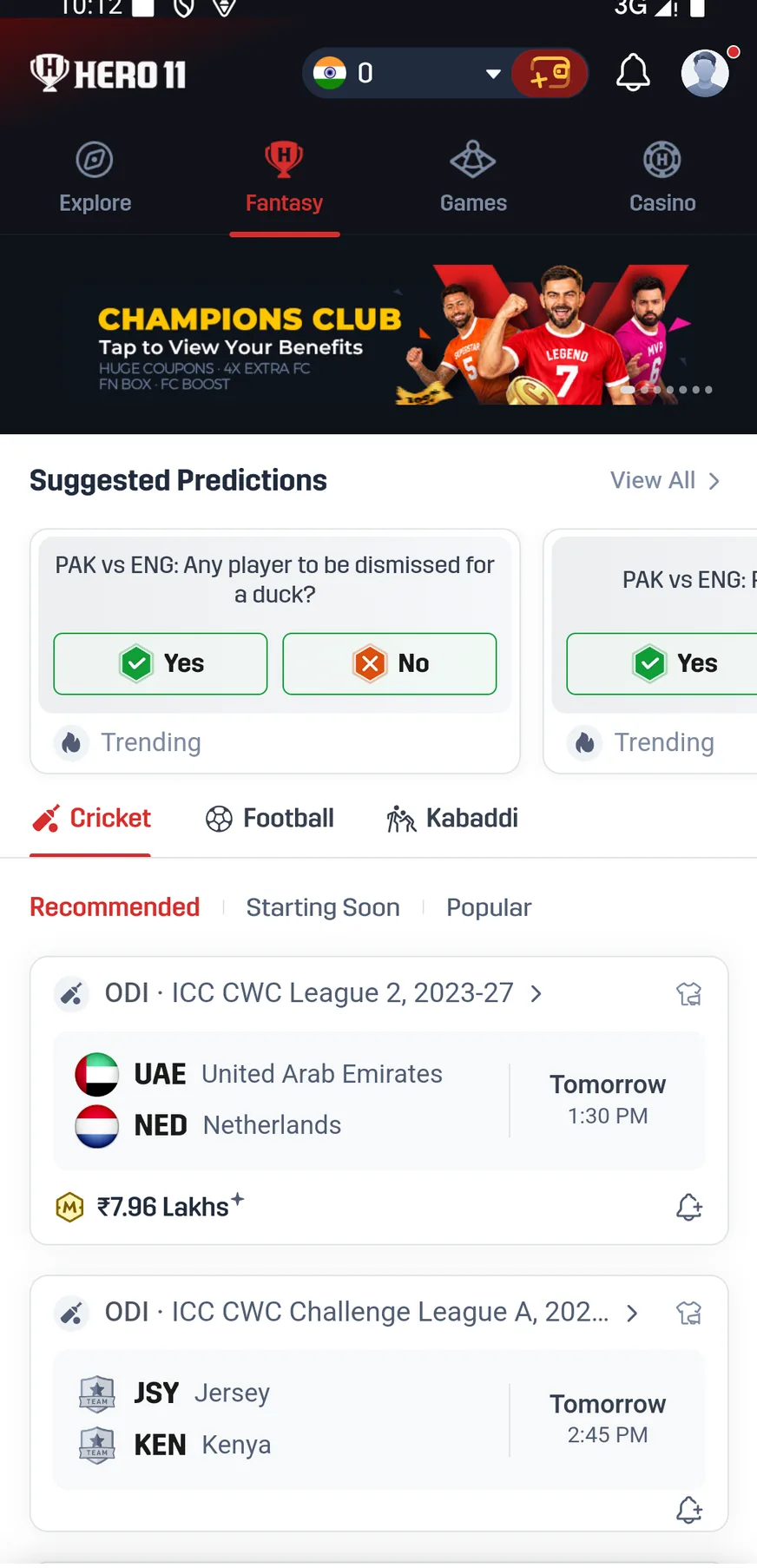
Open the Cricket tab and match the competition, teams and start information. The recorded interface includes Recommended, Starting Soon and Popular lists, with match-format labels such as T20, ODI and Test.
A fixture card takes you toward the contests available for that match. The recorded team instructions describe a 100-credit budget, team creation and a separate contest-entry step. The current contest defines the allowed players, roles, fee and deadline.
Following the Indian Premier League? Use our IPL Fantasy cricket guide to organise match preparation, then check whether the fixture you want is actually listed in Hero11. An IPL schedule on a sports website does not establish app availability.
 Tap to enlarge
 Football appears alongside Cricket in the Fantasy navigation. Its recorded team instructions describe 11 players, a 100-credit cap and at most seven players from one real-life side. Read the current Football rule screen for the allowed combinations and scoring.
Runs and wickets from Cricket do not convert into points for Football. If event lists and market labels are what you want, rather than a squad of players, explore the Hero11 Sports section.
The budget for selecting a team is what credits are. Performances of the chosen players are what match points measure. A multiplier for the captain changes how much that player adds to the fantasy total, without growing the credit budget.
Our Hero11 T20 points reference separates rules for batting, bowling, fielding and the captain, and includes an example of scoring that has been worked through. It also points out a conflicting clause on a low strike rate inside the recorded material. Whenever some condition stays unclear, apply the current rules of the format that was selected.
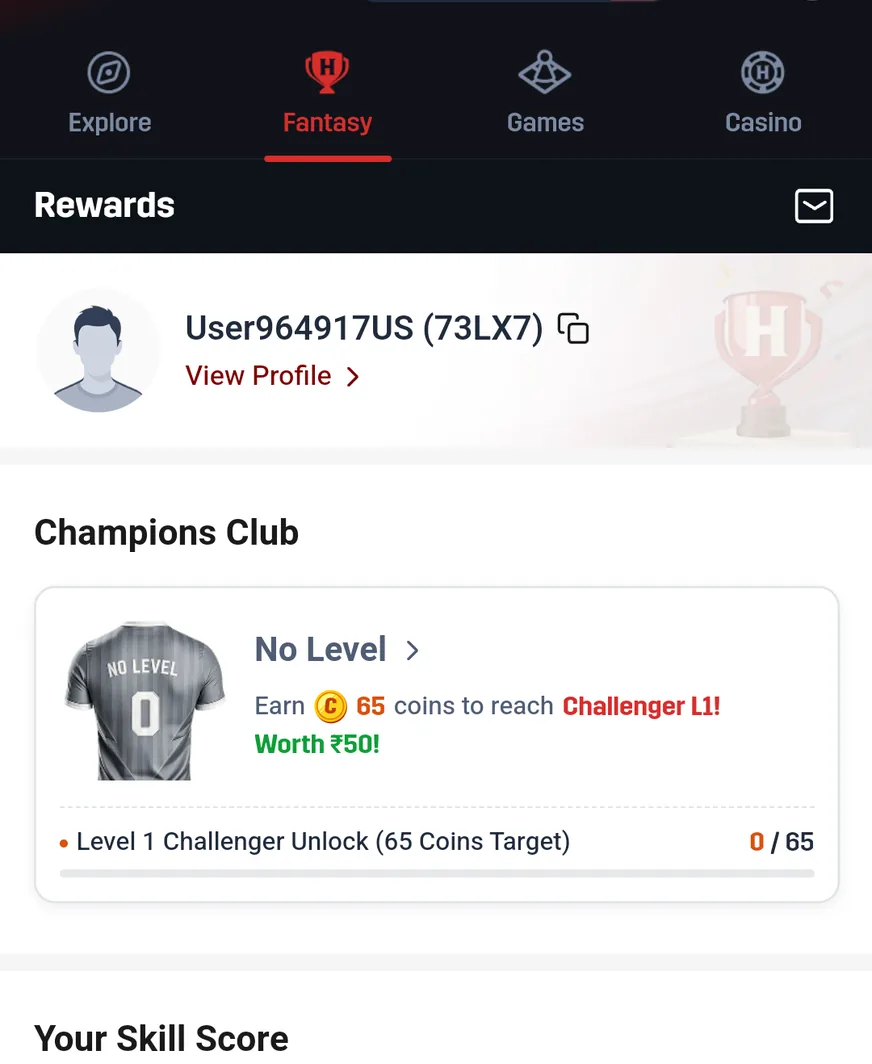
Rewards places Your Skill Score beside Fantasy Coins and beside My Rewards, each in its own panel. On the recorded Fantasy Coins panel the wording reads Use for entry fee discounts; such wording does not show a conversion into cash or a value that can be withdrawn.
How the players you selected performed is answered by a match score. Different questions about the account are answered by Skill Score and by a reward balance. Read the guide covering Fantasy Rewards, Skill Score and Coins for those detail screens that matter and for how they differ from Rummy Coins or from wallet Play Coins.
Opens the external Hero11 access page. Choose the section after opening the app.
 Tap to enlarge
 Where the contest is a player team, use My Matches, then Fantasy, and the view for Upcoming, Live or Completed. Predictions keep separate records that are Open and records that are Completed. An accepted contest entry is not the same thing as a saved team.
While a match is underway or still under review, live points may still shift. Use match deadlines, points updates and result-status checks to separate the close of play, the completion of the contest and a transaction on the account. If help is needed, retain the precise details of the match and of the entry.
If you arrived through a Dream11 comparison, see how Hero11 and Dream11 differ before you carry over any rule, any assumption about the account or any scoring value.
Open your installed Hero11 app and use its Login/Register entry with your existing linked contact. The reviewed material does not establish a separate Fantasy login website. If a code or account is missing, use Hero11 login and OTP help.
Once access has been restored, choose Fantasy and review the format displayed in your account. People who are new can start with the registration first-screen guide.
Open Hero11, choose Fantasy, then choose Cricket or Football and the match you want. Read the available format’s rules before creating a team or choosing a prediction. The walkthrough linked above covers the recorded team and prediction flows.
No. Points that players earn in a match, Skill Score and Fantasy Coins show up in different contexts. Entry-fee discounts are what the recorded Coins panel describes; a fixed value in cash is not established by it.
For the season and the match that matter, look at the current list of Cricket fixtures. An active IPL contest for every date, every account or every location is not confirmed by this guide.
The recorded Hero11 interface places Fantasy within the same app navigation. Use the Hero11 Android download guide if you need installation help, then choose Fantasy inside the app.
Product references: Hero11 mobile recording dated 31 August 2026 and mobile interface material reviewed 8 September 2026. Guide updated 22 October 2026. Screens show examples from those sessions. Check the rules and availability shown in your current account.
External access link · 18+ and current local eligibility apply.
Editorial update: · Hero11