
Hero11 Fantasy Rewards, Skill Score & Coins
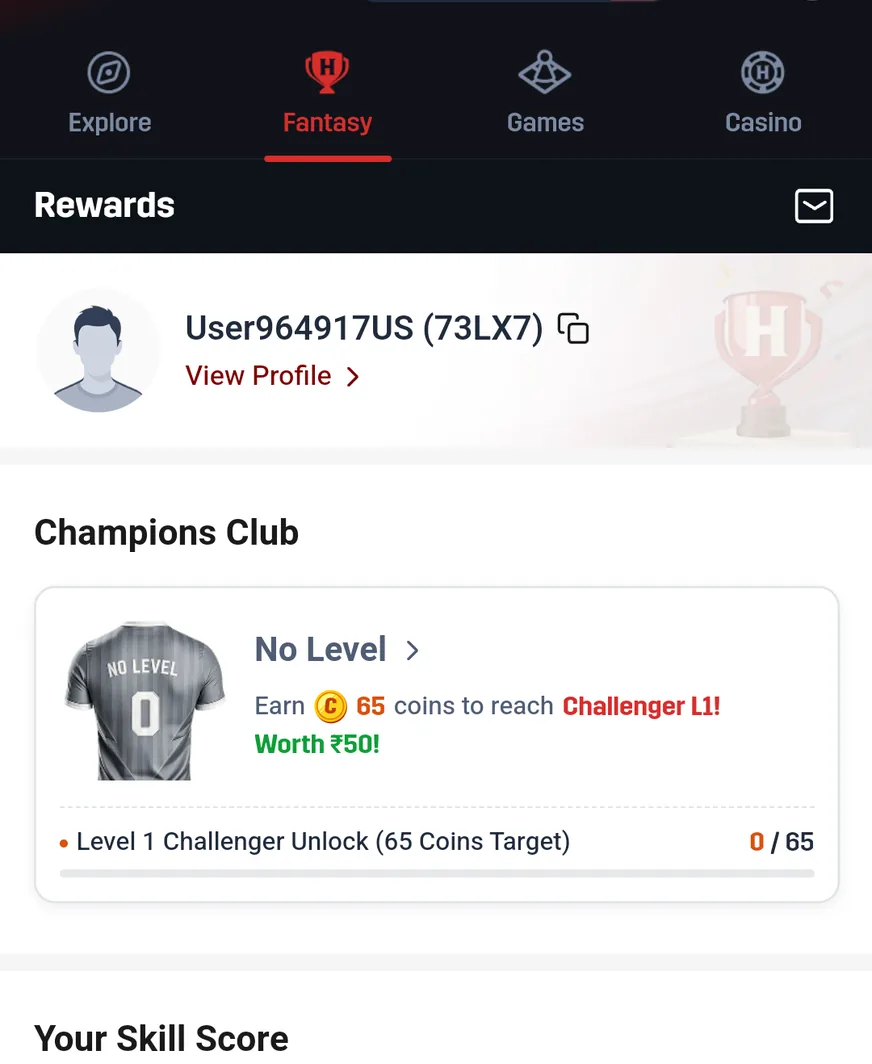
The Hero11 Fantasy Rewards screen keeps Your Skill Score in one place, Fantasy Coins in another, and My Rewards apart from both. Use this guide when you need their roles told apart and the details for your account found.
Already have Hero11? Open the app on your phone. Get login help →
On this page
Three panels, three different questions
| Panel | What is actually shown | What it helps you find |
|---|---|---|
| Your Skill Score | A display of a score, together with a prompt on how the calculation is done | The score explanation for that account |
| Fantasy Coins | The balance, wording about using it toward entry fee discounts, and View Detail | The Fantasy discount balance and its details |
| My Rewards | Entry-fee-discount wording and View More | Available reward or discount items |
 Tap to enlarge
 A player’s match points stand apart from Skill Score
On the Rewards screen is where Your Skill Score shows, while Fantasy match points cover the batting, bowling, or fielding contribution made by a player who was chosen. A link about how the calculation is done appears in the recording, yet the explanation is never opened. No formula for a score, no threshold for a ranking, and no fixed tie to winnings gets established.
Should you want to grasp a Skill Score that changed, open the explanation offered there and set the account details it draws on side by side. Should you want to grasp why a wicket or a catch was scored that way, turn instead to the points rules belonging to the match you selected.
What Hero11 Fantasy Coins are used for
The recorded Fantasy Coins panel explicitly says Use for entry fee discounts. A balance of its own, and a View Detail control, belong to it. What that establishes is the discount purpose on display, not a value you could withdraw as cash and not a rate of exchange.
Open Fantasy → Rewards
Look for Fantasy Coins rather than a currency selector inside the wallet or Rummy Coins.
Choose View Detail
Read the information about the balance and any eligibility, validity, or usage conditions currently shown in that place.
Read the contest’s entry screen
See if a discount covers that particular contest and what sum is finally payable. Nothing about a Coins balance by itself shows that every entry qualifies.
Rules on earning, terms on expiry, and a full flow of redemption are never opened in the recording supplied. This guide therefore makes no promise of a rupee-per-coin rate, of a discount percentage applied everywhere, or of a period of expiry.
Separate questions are answered by My Rewards and by Game History
Discount items are what My Rewards shows, and the empty state in the recording says that no discount coupons are present. That wording describes the account which was recorded, not every user. Open View More when you want the items actually available to you.
From that same Rewards area there is a link to Game History. Recorded Fantasy history has Entry Paid, Entry Refund and Winnings tabs. For a question on a fee or on a result, use those records, instead of treating an absent coupon as an absent payout. Check match results and settlement stages →
Fantasy Coins, Rummy Coins and Play Coins
| Name | Where it appears | Do not assume |
|---|---|---|
| Fantasy Coins | Fantasy → Rewards | Either a balance held as cash, or a withdrawal value that stays fixed |
| Rummy Coins | Rummy → Coins lobby | Automatic transfer into Fantasy Coins |
| Play Coins | Main wallet/currency selector and rewards area | A balance or set of conditions identical to those of a Fantasy discount |
| VIP or referral rewards | Separate VIP and Refer & Earn sections | What is meant by Fantasy Skill Score or by Fantasy Coins |
Hero11 uses related reward language in several places. The screen and product name are the useful identifiers; “Coins” alone does not establish that balances are interchangeable.
If a reward or discount looks wrong
- Retain the name of the reward and the section of the product where it shows.
- Inspect the detail screen that applies, together with the final entry amount of the contest selected.
- Where the matter is a contest fee or a result, retain the match, the entry, and the Game History record.
- Use Customer Center for an explanation that belongs to that account alone, because a guide website cannot alter a reward balance inside the app.
Frequently asked questions
Can Hero11 Fantasy Coins be withdrawn as cash?
Discounts on the entry fee are what the recorded panel describes. No route for redeeming cash, and no rate of exchange, is established by the material supplied.
How is Hero11 Skill Score calculated?
A prompt on how the calculation is done is shown by the recording, but the formula is never opened. Consult that explanation in the account you have now, because a formula is not invented by this guide.
Do Fantasy Coins and Rummy Coins amount to one and the same thing?
Separate product areas are where they appear, and the contexts differ. Nothing establishes a transfer, or a conversion rule held in common.
If the notice says that no discount coupons are present, does that mean my winnings are missing?
No. A screen for My Rewards is not the screen that holds the Winnings transaction record. Look at the match that applies and at the Game History record.
Use the Hero11 Fantasy overview to join these reward panels to the match format and the record that apply.
Find the next Hero11 Fantasy explanation
About the screenshots and rules
Interface and rules reference: supplied mobile recording dated 31 August 2026, reviewed 10 September 2026. Available contests and rules can change. Read the terms shown for the match you choose.
Editorial update: · Hero11