
Hero11 Cricket: Match Timing, Points & Results
Review when the match deadline falls, what status the entry has, and whether the points are still being reviewed. Hero11 Cricket match time, points that are live in fantasy, and a result that has been completed, remain separate stages.
Already have Hero11? Open the app on your phone. Get login help →
On this page
Prior to the match, review the deadline shown on that particular entry
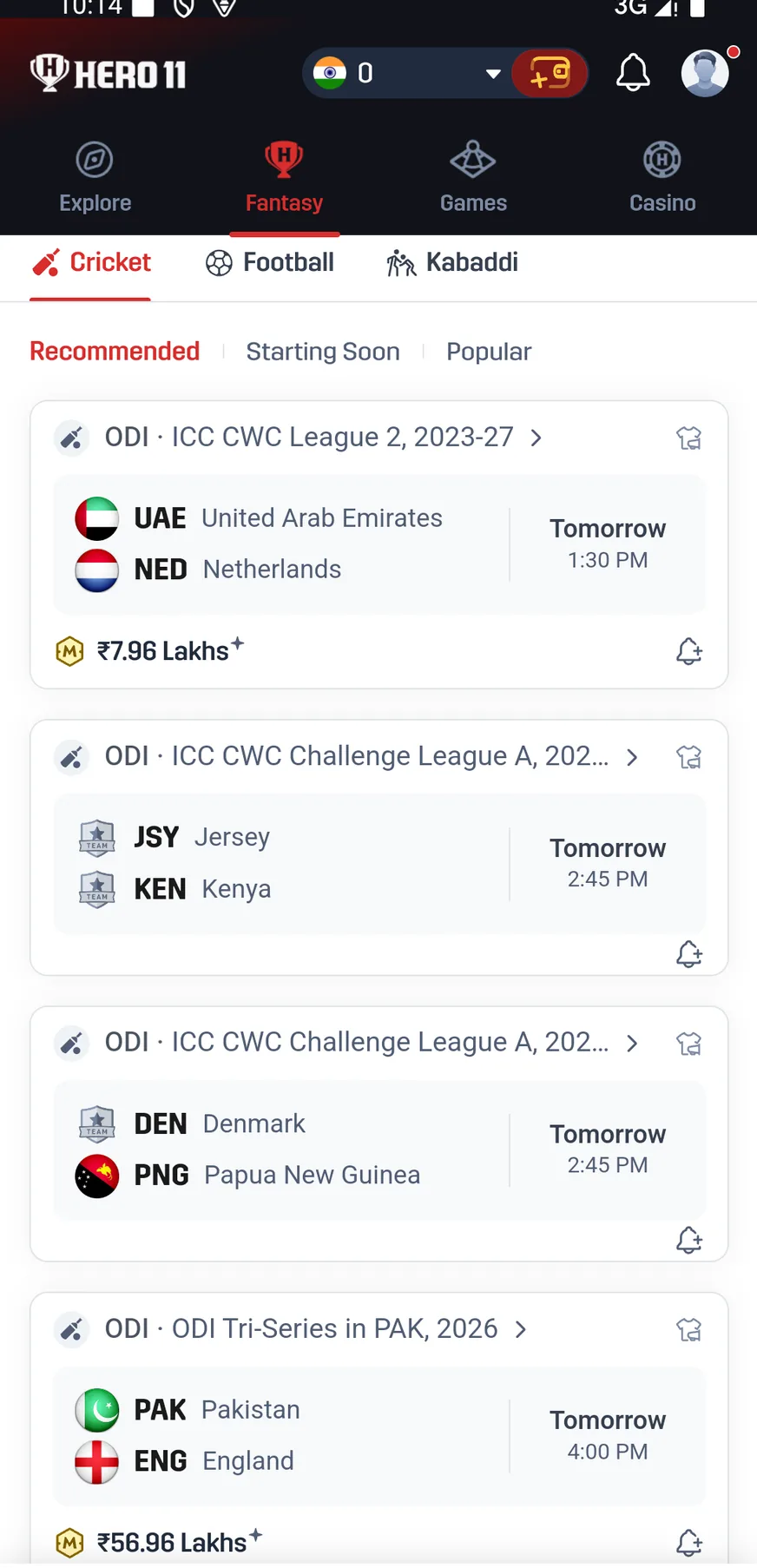
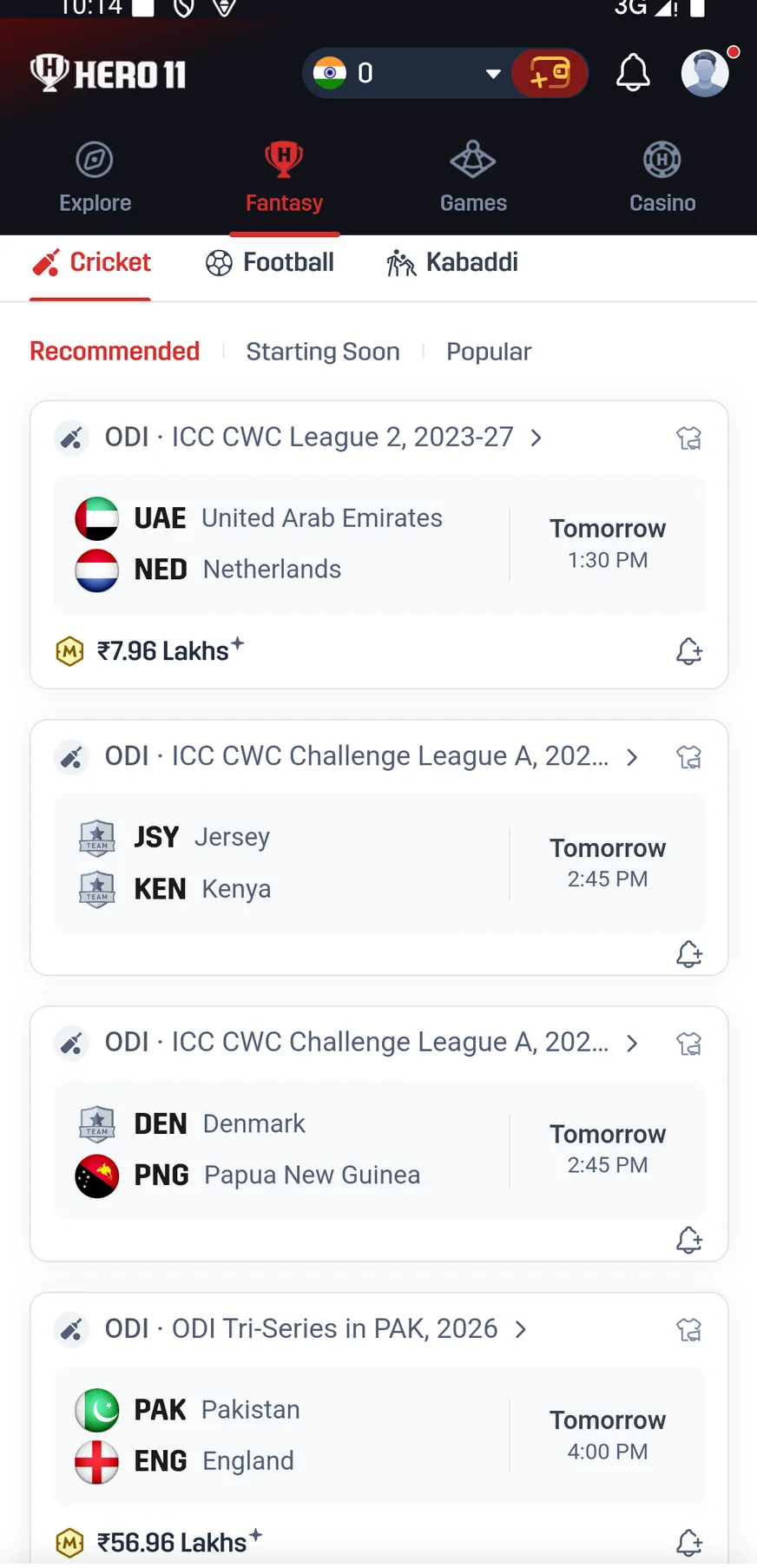
Teams, format and information about the start are what match cards display. A Lock Time is also shown on prediction cards. Enter from the real card and the real contest you mean to use, because neither a stored screenshot nor a countdown from earlier is the deadline that applies now.
Before the deadline of the match, edits are allowed by the team-contest instructions through My Teams on that match page. Saving a team inside the builder does not prove a contest entry was accepted. Seek the entry record that is relevant.
Follow the Fantasy team steps →Early starts, late starts and revised deadlines
- Early start: the recorded text says the deadline can move to the actual start and refers to bringing it forward by up to 10 minutes or 3 overs, whichever is earlier.
- Unverifiable start time: the text describes a deadline set at a point up to 3 overs into the match. This is a platform adjustment provision, not a promise of late entry.
- Delayed toss, weather or technical delay: the rules on record permit extending the deadline or cancelling the contest on the page you already opened.
Stick to the deadline the contest shows at this moment. A delay should not be taken to reopen editing on its own, and a refund rule should not be assumed identical for every match that is cancelled.
 Tap to enlarge
 While play is underway, points shown live are still able to change
Under the format that was chosen, a player's runs, wickets and catches add to fantasy points. Rules on record say the points may be revised while a match is In progress or Waiting for review. So a live score that is still moving is not the same as a mistake in final settlement.
Use the Hero11 T20 scoring reference for the separate parts of the points. Where the prediction is Yes or No, read the question given and the conditions for the result, instead of using the table that scores the team,.
Find the correct My Matches record
| Your entry | Where to look |
|---|---|
| Player-team Fantasy contest | Open My Matches, then Fantasy, then Upcoming or Live or Completed |
| Prediction | Open My Matches, then Predictions, then Open or Completed |
| Fantasy entry fee or refund record | Open Rewards, then Game History, then Fantasy, where the recording lists Entry Paid, Entry Refund and Winnings |
| Sports event-market entry | Open the Sports record, My Bets being one example, |
 Tap to enlarge
 After completion: points, winnings and withdrawals
According to Fantasy help text captured in the recording, winnings are ordinarily in hand within three hours once the match has finished and the winners have been named. The statement belongs to dated help material and is not a guarantee that delivery was measured. Ending a match, completing a contest, crediting a wallet and withdrawing at a bank are not the same event.
A complete timetable for refunds when a match is abandoned is not in the recording. Should your contest have been cancelled, look at its record and at the refund entry, then speak with support using the contest details rather than assuming every case shares one refund cutoff.
If the record still looks wrong
Confirm the event
Line the teams up with the day, the format and the contest or the prediction. Records can differ even when fixtures look alike.
Capture the discrepancy
Store the status that is visible, the player or the event, the sum entered and the sum you think is absent. Screenshots should stay readable.
Use Settlement Issues
Go through the account menu, then Contact CS, then Customer Center, then Settlement Issues. The form in the recording requests Select Match, plus Entry Fee and Amount Due, along with screenshots and a written description.
Follow the existing ticket
Follow the case under My Tickets. Putting in a ticket asks support for help, and it does not confirm approval of an adjustment or of a refund.
Frequently asked questions
Can I edit my Hero11 Fantasy team after creating it?
Editing by way of My Teams is allowed in the recorded instructions until the match deadline. Availability can shift if the deadline was revised or the contest is locked.
Why do my live Hero11 points change?
While a match remains In progress or Waiting for review, updates are allowed under the recorded rules. See that status before a live total is treated as final.
Does cancellation of a match always produce a refund right away?
Nothing on screen showed a full schedule covering cancellation and refund. Review the contest that was selected and the Entry Refund record for it, or contact support under Settlement Issues.
To follow the broader path from selecting a match onward through points and rewards, return to Hero11 Fantasy.
Find the next Hero11 Fantasy explanation
About the screenshots and rules
Interface and rules reference: supplied mobile recording dated 31 August 2026, reviewed 10 September 2026. Available contests and rules can change. Read the terms shown for the match you choose.
Account-help reference: supplied mobile Customer Center recording reviewed 8 September 2026; rechecked 10 September 2026.
Editorial update: · Hero11