
IPL Fantasy Team Selection: Look Again Before You Make It Final
Use this IPL fantasy team-selection checklist to review the fixture, who is available, the roles, the scoring, and the deadline. You get a preparation process that can be repeated, rather than one fixed team which falls out of date after the toss.
Hero11 buttons open an external access page. Already installed? Open the app on your phone.
On this page
Your five checks before team selection
0 of 5 checks reviewed
Nowhere but this page does the checklist live. Ticking a box does not send in any contest entry.
1. Confirm the fixture and the Fantasy format
Open with the competition, the season, the two teams, the venue, and the information about the start. Use the official IPL fixtures and results to line that event up, then open the contest which corresponds inside the app you picked.
Settle whether you are getting ready for one fixture, for a game that runs the whole season, or for a draft. What transfers allow, whether a player may be used again, and how lock rules work all depend on the format. A shortlist made for a single match ought not to be handled as a squad plan spanning the season.
For Hero11, the Fantasy overview helps you tell the player-team path from the prediction path that stands separate. Before you go on, confirm that the fixture and the contest you intend are actually offered.
2. Separate the squad from the announced playing team
Registered options are listed by a franchise squad. That listing never confirms every player will appear in the match which follows. Close to the match, review the team already announced, the news on availability, and any substitute who is named.
Use official IPL team information for the squad context and current competition announcements for changes that show up. Until the announcement of the team confirms it, a predicted XI inside a preview ought to remain only a prediction.
Where Impact Player or other substitute options are listed for the match, keep being named as a substitute apart from having actually played. Review both the substitution conditions the competition sets at present and the way scoring is treated on the fantasy platform. Do not suppose that a name sitting on a substitute list will earn any points.
3. Compare opportunities, not just famous names
| Question | What to review | What not to assume |
|---|---|---|
| Where is the player likely to bat? | Batting positions from recent play, and any change of role already announced | Last season’s position is still current |
| How much does the player bowl? | Recent overs and phase of involvement | A full role with the ball is guaranteed by a label that says all-rounder |
| Is the player keeping wicket? | The keeping role that really applies, for the side that is likely or already announced | Every listed wicketkeeper will take the gloves |
| Will the player be on hand for the whole of the task? | Confirmed availability and substitution context | A squad place guarantees a starting role |
Use recent comparable T20 performances to ask these questions. A small sample can be noisy: one exceptional innings does not establish a stable role, and a low total may reflect limited opportunity rather than a permanent change in ability.
4. Add venue, conditions and toss information
Confirm the venue which will really be used, rather than leaning on the ground a team usually calls home. From a match source that carries a date, read the pitch, the weather, and the toss information as they stand. Hold a condition that was reported apart from a forecast of how the match will develop.
After that, return to what you assumed about roles. A batting order which changed, a combination which differs, or a game which was shortened can change the task a player is likely to carry out. At that same moment, recheck the deadline inside the app, since the toss is useful to know and is not permission to edit once a contest has locked.
Our Hero11 match timing and result guide sets out the deadline recorded and the stages of review, and does so without promising a late-entry rule or a refund rule that would cover every case.
5. Check credits, scoring and captain choices
Read what the rules show for that precise contest: how many players, which roles are allowed, the cap on credits, how many players from each real team, the multipliers, and any conditions on substitution. Meeting that contest’s requirements is what makes a team valid, and only then does a preference for any player matter.
The dated Hero11 T20 points reference records captain 2× and vice-captain 1.5×, alongside batting, bowling and fielding rows. Check the current format before applying those values. Do not import a scoring table from another service.
Pick the multipliers only after availability and the involvement you expect have been reviewed. They enlarge the score belonging to that player, and they do not make the performance certain.
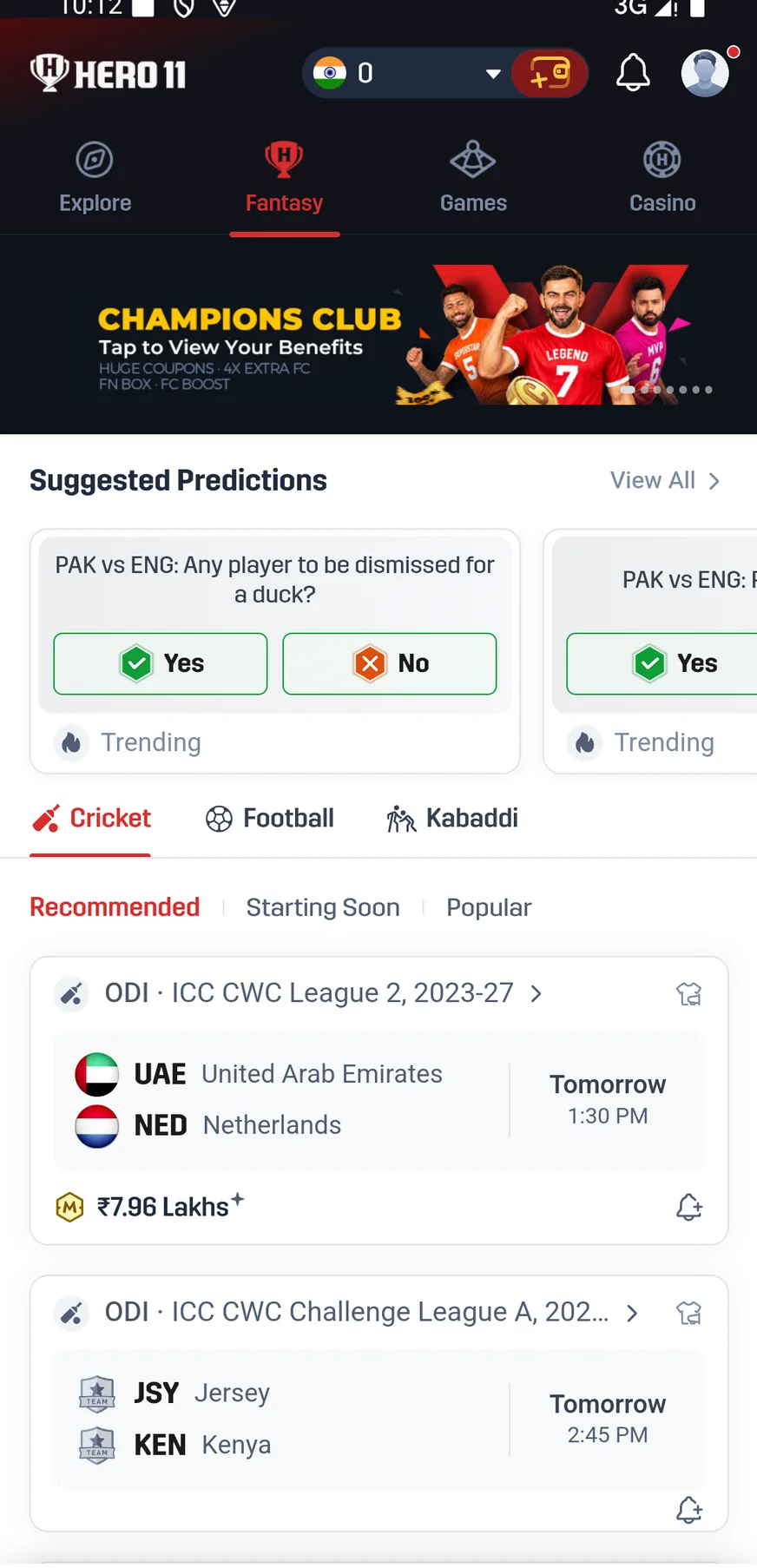 Tap to enlarge
 One plain case of a decision worth another look
Illustrative example: your shortlist has an all-rounder in it because batting and bowling are both named on the profile. Late batting, and no bowling, is what recent scorecards show for that player. A role documented more clearly belongs to another player on the shortlist.
What helps next is a check of the team combination and of the role information as they stand. Chances to bowl that exist only in imagination should not be granted because of the label on the profile. Use that same review if an opener you expected drops lower in the batting order, or appears only as a named substitute.
Reasoning is what this example shows, not a forecast that one player or the other will collect more points. Assumptions you can avoid are reduced by a checklist for preparation, yet an outcome still cannot be guaranteed.
Last pass: store the team and make sure the entry is confirmed
Recheck the current information
One last time, go over the team announced, the credits, the roles, the captain choices, and the lock time.
Use the actual entry flow
Saving a team and entering a contest are separate steps in the documented Hero11 instructions. Read any displayed fee and terms before deciding to enter.
Find the accepted entry
Turn to the matching record under My Matches and then Fantasy. Keep the precise match details and contest details for checks you make later.
Need the screen-by-screen sequence? Follow the Hero11 Fantasy team and contest walkthrough.
Opens the external Hero11 access page. Choose the section after opening the app.
Move ahead with the guide that fits the question you ask next
Return to the IPL Fantasy cricket directory for the preparation path and for guides related to it. If what you ask next is about a Coins balance or about Skill Score, and not about a player’s points from a match, use the Hero11 Fantasy rewards guide.
Frequently asked questions
Ought an IPL Fantasy team to be chosen before the toss, or after it?
A shortlist may be prepared ahead of time, after which you can review the real team and the information from the toss while editing is still open. Whatever lock time the app shows now is what sets the deadline.
Does a list of an IPL squad equal the playing XI?
No. The broader set of players is what a squad is. For the match in question, confirm the team which was announced and the information on substitutes.
Does listing someone as an Impact Player mean Fantasy points are earned automatically?
Being named should not be taken to guarantee either participation or points. See whether that player really takes part, and see how the platform you selected treats the role.
Can this checklist guarantee a winning team?
No. Checking the information and the conditions behind a selection is what it helps you do. How a match is played, and how a contest turns out, both remain uncertain.
What if the fixture is not available in Hero11?
Do not use an old screenshot or another platform’s listing as proof of availability. Check the current Hero11 Cricket list and return when the event or contest is actually offered.
Sources and reference dates
Product references: Hero11 mobile recording dated 31 August 2026 and mobile interface material reviewed 8 September 2026. Guide updated 12 September 2026. Screens show examples from those sessions. Check the rules and availability shown in your current account.
External access link · 18+ and current local eligibility apply.